
Meet the people behind this publication


Need a marketing video but don’t have the time or resources to produce one from scratch? If product photos, videos, or even a product page are already available, Pollo AI Marketing Video Generator can turn those assets into a ready-to-publish marketing video in minutes. The tool does most of the production work, but the quality of the final result still depends on choosing the right inputs and making a few thoughtful adjustments. Here’s a practical workflow that helps create videos people are more likely to watch.
This article belongs in Just Tech BlogTable of Contents
Why Use Pollo AI Marketing Video Generator?
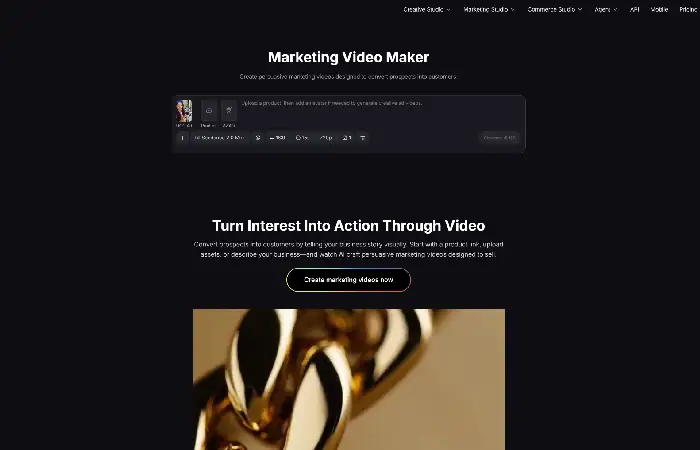
AI Marketing Video Generator from Pollo AI is designed to generate promotional videos from existing marketing materials. Instead of starting with a blank timeline, users can simply paste a product URL, upload product images or videos, or enter a text description. The tool automatically organizes the content into a complete marketing video, and users can optionally add an AI avatar when a presenter is needed.
This flexibility makes it suitable for different marketing scenarios. An online store can generate a video directly from a product page, while a local business can build one from photos and a short business description. Because the same source materials can be reused, creating multiple videos for different campaigns becomes much faster without repeating the entire production process.
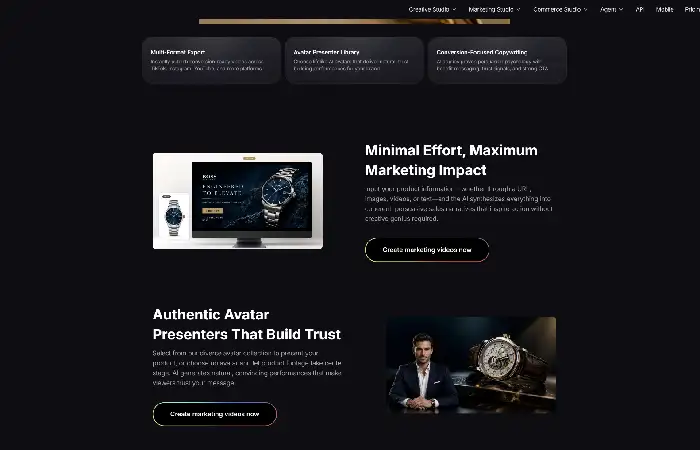
How to Create Scroll-Stopping Marketing Videos with Pollo AI Marketing Video Generator
Step 1. Start with the Right Source Material
The first decision is choosing how to create the video. If the product already has a detailed product page, simply paste the URL into Pollo AI Marketing Video Generator. The tool can extract relevant information and build a video around it automatically.
For products that haven’t been published yet, uploading high-quality product images or short video clips usually produces better results. If suitable visuals aren’t available yet, businesses can first create product images with Recraft on Pollo AI before importing them into the marketing video generator. Service businesses can start with a clear text description instead. Rather than uploading every available asset, choose the materials that best explain the product or service. A smaller selection of strong visuals often creates a cleaner and more engaging video.
Step 2. Generate the First Version
After selecting the source material, let Pollo AI generate the first version of the video. At this stage, treat the output as a draft instead of the finished result.
Watch the opening carefully. The product or main message should appear within the first few seconds so viewers immediately understand what the video is about. If the introduction feels too slow or includes unnecessary information, adjust the source content and generate another version. Small changes to the product description or opening visuals often improve the result more than starting over completely.
Step 3. Refine the Video Instead of Rebuilding It
Most marketing videos only need a few refinements before they’re ready to publish. Instead of replacing everything, focus on the elements that influence viewer attention the most.
For example, replacing the first image, shortening the opening message, or making the call to action more direct can noticeably improve the flow. If the product’s main benefit isn’t obvious, revise the description and generate a new version. Making targeted changes is usually faster and produces more consistent results than rebuilding the entire video.
Step 4. Decide Whether to Add an AI Avatar
Pollo AI also allows users to include an AI avatar, but it isn’t necessary for every project.
An AI avatar works well when introducing a service, explaining how a product works, or delivering a promotional message directly to viewers. For product showcases or short sales videos, keeping the focus on the product itself is often the better choice. Selecting the format that matches the campaign usually creates a more natural viewing experience than using the same style for every video.
Step 5. Export Versions for Different Platforms
Before publishing, create versions that match where the video will be shared. Vertical videos are generally better suited to TikTok, Instagram Reels, and YouTube Shorts, while horizontal formats work better for websites and standard YouTube videos.
It’s also worth testing different openings or calls to action across platforms instead of publishing exactly the same version everywhere. Since Pollo AI Marketing Video Generator uses the same source materials to generate multiple outputs, creating platform-specific versions requires very little additional work.
Conclusion
Creating a scroll-stopping marketing video doesn’t require complex editing or a large production team. Starting with clear product assets, generating a solid first draft, and refining a few key details usually has a greater impact than adding more effects or transitions.
Pollo AI Marketing Video Generator simplifies this process by turning product URLs, images, videos, and text descriptions into promotional videos with minimal manual work. Used thoughtfully, it helps businesses produce marketing videos more efficiently while keeping the final content clear, relevant, and ready for different platforms.